

The library
The Library lists every song you can see: your own, your teams’, and the global catalogue’s.
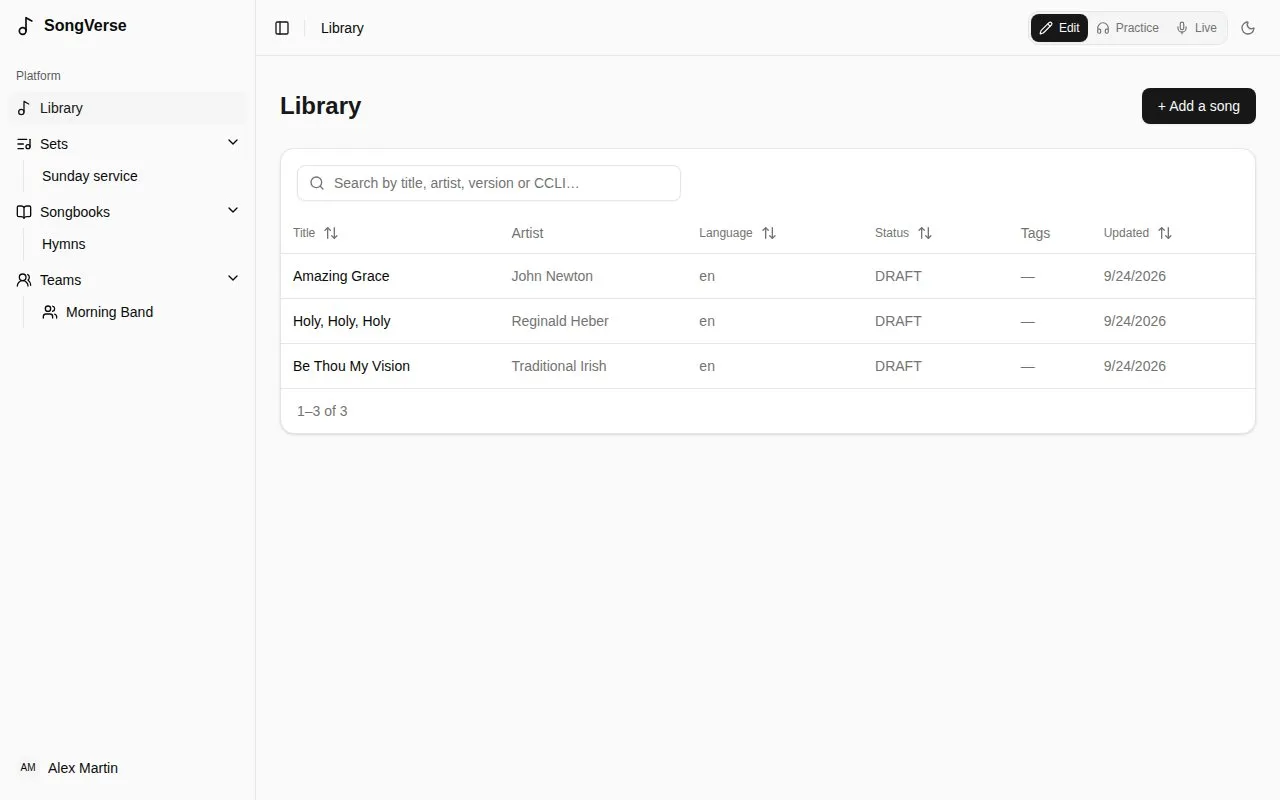
- Search by title, artist, version name or CCLI number.
- Sort by a column by clicking its heading.
Adding a song
Section titled “Adding a song”Choose + Add a song. A song name and at least one artist are all it needs; everything else can come later.
- Already in your library? As you type the name, SongVerse shows songs you already have with that title. You can open the existing one, Use as base (start from its details), or Create new version - another version of the same song, such as an acoustic one. Give versions a Version name to tell them apart.
- Auto detect looks the song up online (MusicBrainz) and fills in what’s missing, like credits and the album. Choose Find song info, then Use this on the right match.
- The chart: paste the words and chords, or upload a file (
.cho,.txtor.pdf). SongVerse recognises ChordPro, chords written above the lyrics, and plain lyrics. You can then work on it in the song editor. A PDF is kept under Files, but its text isn’t read, so paste the words too.
Then Save song.
A song’s page
Section titled “A song’s page”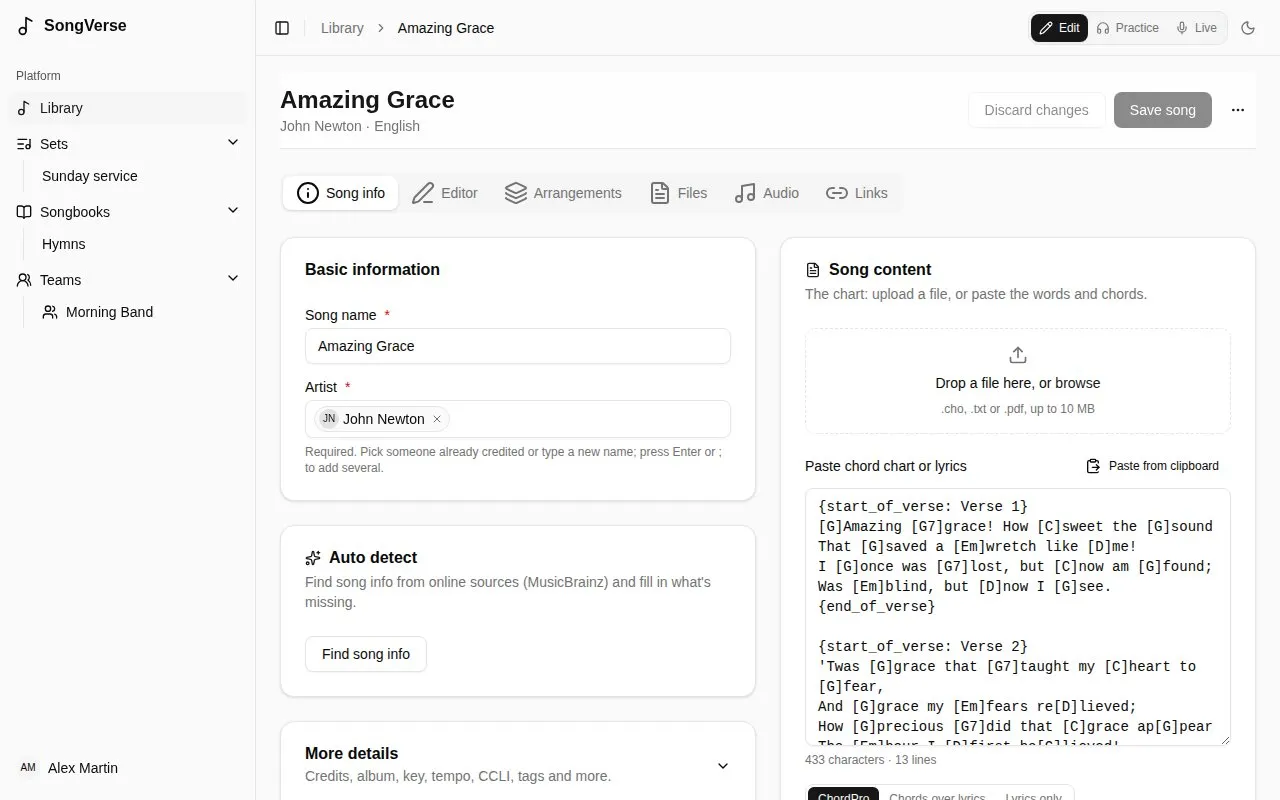
A song has tabs:
- Song info - its name and artists, and under More details: composers, lyricists and other credits, album, year, key, tempo, time signature, suggested capo, duration, copyright, CCLI and ISRC numbers, a reference (e.g. the scripture it draws on), notes and tags. It also lists the songbooks it’s in.
- Editor - the chart itself. See The song editor.
- Arrangements - how you and your teams play it. See Arrangements.
- Files - sheet music, the original chart file, images (up to 25 MB each).
- Audio - recordings to learn or rehearse with (MP3, M4A, WAV, OGG… up to 50 MB each).
- Links - the song on Spotify, Apple Music and YouTube.
Edits on Song info and Editor are saved together by Save song; files, audio and links are saved as you add them. Discard changes takes back what you haven’t saved. The ⋯ menu can Export as ChordPro or Delete song.
The Suggested capo is only a suggestion (for example, the capo used on the recording): it’s used when an arrangement doesn’t set its own.
If a song isn’t yours to change (a global song, or a team song when you’re not one of the team’s admins), you can read it and arrange it, but not edit it.
Submitting to the global catalogue
Section titled “Submitting to the global catalogue”The Global catalogue card on your own song offers it to everyone. Submit for review, optionally with a note for the reviewer; copyright and CCLI details help but aren’t required. A reviewer then publishes it, asks for changes, or declines it, and you see where it stands on the same card. Your own song stays yours either way.