

Songbooks
A songbook is a collection of songs. Yours are listed under Songbooks in the sidebar.
Creating a songbook
Section titled “Creating a songbook”Choose Create songbook and pick its Type:
- Simple - an unordered collection; songs have no number.
- Numbered - songs are numbered to match a printed edition, and numbers must be unique.
Give it a name, and optionally an abbreviation, language, publisher and year. Choose who owns it: you, a team, or everyone (global admins only).
Songs in a songbook
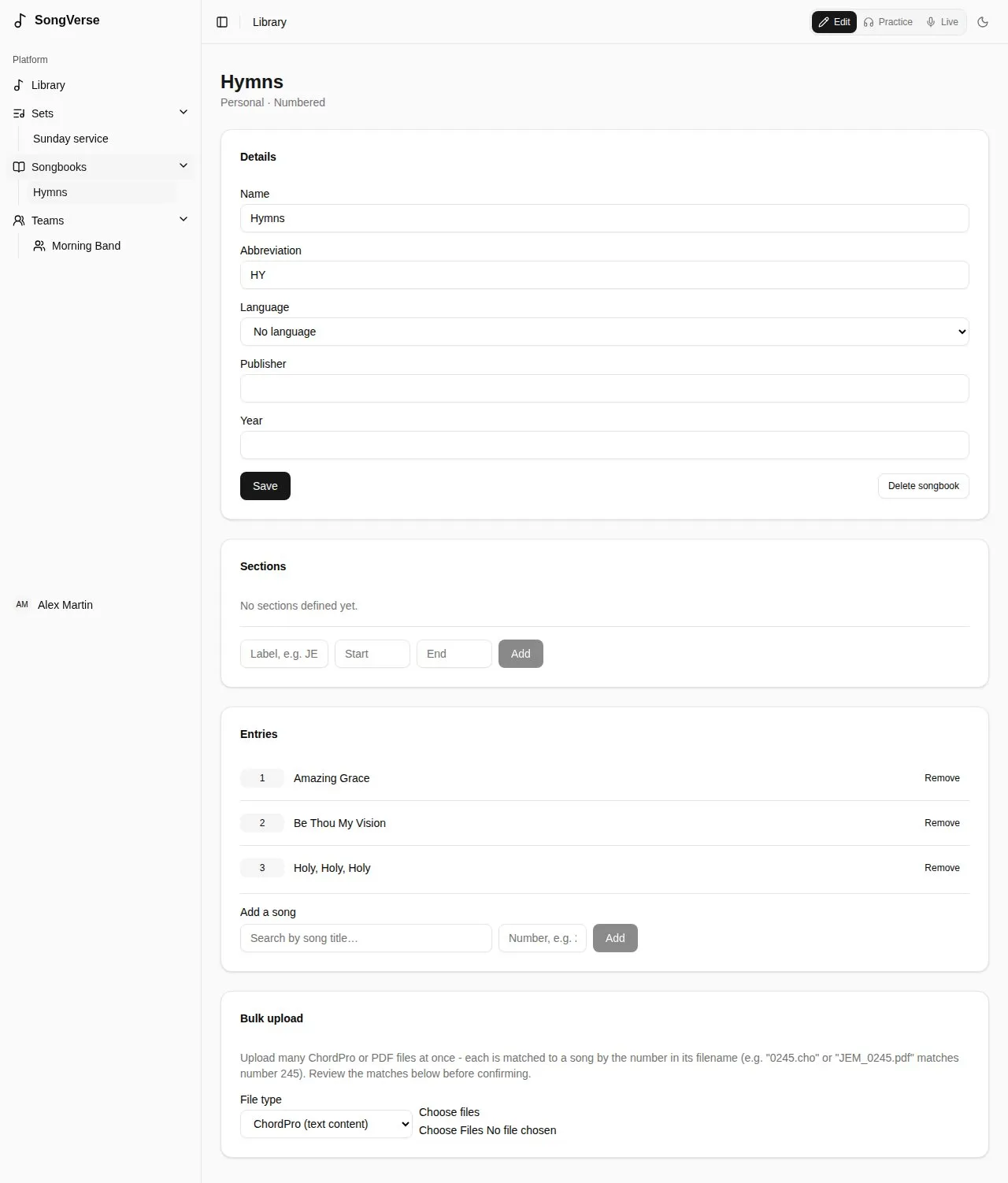
Section titled “Songs in a songbook”Under Entries, Add a song by searching for it and, in a numbered songbook, giving its number.
A numbered songbook can have sections: ranges of numbers with a label, like a hymnal’s volumes (1-371 is “JEM1”, 372-721 “JEM2”…). You can then filter the songbook by section.
From a published songbook’s catalog
Section titled “From a published songbook’s catalog”The Songbook catalog (Browse catalog) is a directory of known published songbooks: their numbers, titles, credits, keys and more - but no lyrics or chords.
Starting a songbook from a catalog gives you every entry at once. Entries whose song isn’t in your library yet are listed under Pending entries: Start one to create the song with the catalog’s details filled in, then add its words and chords.
Bulk upload
Section titled “Bulk upload”To fill a numbered songbook quickly, Bulk upload many ChordPro or PDF files at once. Each file is matched to a song by the number in its name (0245.cho or JEM_0245.pdf matches number 245). Check the matches, then Confirm upload.